V2ray
version: '3.9'
services:
  v2raya:
    image: mzz2017/v2raya
    volumes:
      - '/etc/v2raya:/etc/v2raya'
    environment:
      - V2RAYA_LOG_FILE=/tmp/v2raya.log
      - V2RAYA_V2RAY_BIN=/usr/local/bin/v2ray
    container_name: v2raya
    restart: always
    ports:
      - '20170-20172:20170-20172'
      - '2017:2017'
    networks:  # 显式指定网络
      v2raya_net:  # 使用自定义网络

networks:  # 定义网络配置
  v2raya_net:
    driver: bridge
    ipam:
      config:
        - subnet: "192.168.96.0/24"  # 自定义子网
          gateway: "192.168.96.1"    # 自定义网关
斯玛特
version: '3.8'

services:
  smart-v1:
    image: instituteiptv/smart-v1:latest
    container_name: smart-v1
    restart: always
    ports:
      - "5052:5050"
    environment:
      - SMART_FILE=/app/smart.txt
      - SMART_CUSTOM_TOKEN=设置你的token
      - http_proxy=http://192.168.96.1:20171
      - https_proxy=http://192.168.96.1:20171
v2ray中的设置如图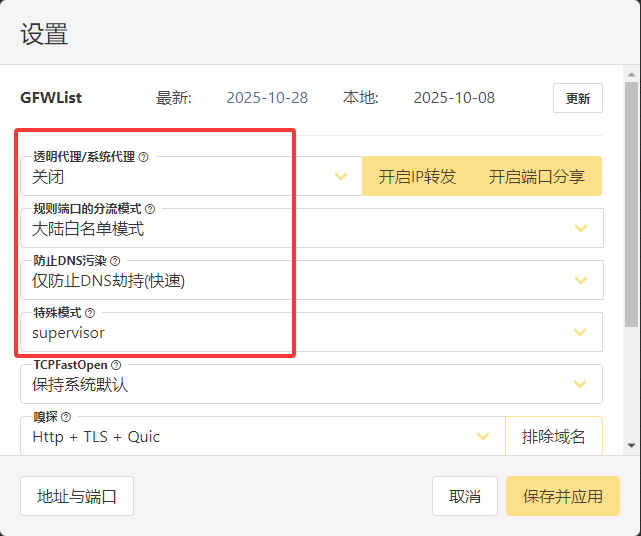
然后选择节点启动即可